Coil whine: when it is normal and when the unit is faulty
A high-pitched whine that rises and falls as the image on screen changes—louder in a menu running at a high frame rate, quieter during a cutscene—is almost certainly not a fan. It is an electrical vibration, a side effect of the way power moves through a modern graphics card, power supply or motherboard. Recognising the difference between a normal by-product of heavy current and a genuine manufacturing defect is the core of troubleshooting the noise most builders call coil whine.
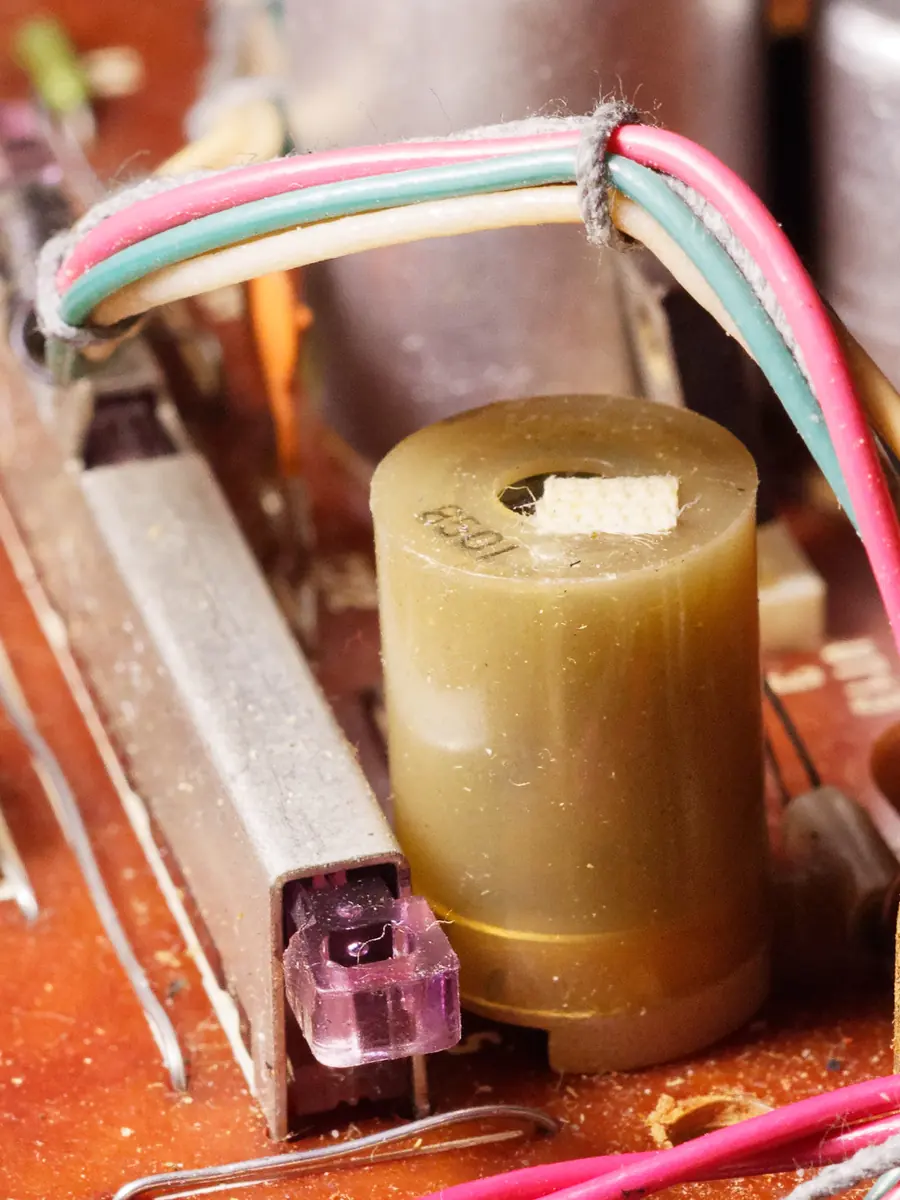
The Physics Behind the Whine
Magnetostriction—the change in dimensions of a material due to a change in its magnetisation, as described in the COMSOL Application Library—is the underlying effect. When alternating magnetic fields sweep through a ferrite core or a copper winding, the material flexes microscopically. Those tiny shape changes, repeated many times per second, transfer mechanical energy into the surrounding air, and what emerges is an audible tone.
Components with inductors are particularly prone to this. A WesComponents technical bulletin notes that audible noise can occur when alternating magnetic fields drive mechanical vibration in the winding itself. The winding will typically be encased in varnish or resin, but the bonding may still transmit vibration to the PCB, which then acts as a sounding board. A Bel Fuse signal-component datasheet makes the point succinctly: reduced audible noise is achieved through very low magnetostriction. The less the core material moves, the quieter the part. In practice, cost, board space and current rating usually prevent a designer from specifying the quietest possible inductor for every rail.
Why Load Alters the Pitch
The noise is not a fixed hum. It follows workload, and the reason lies in the switching behaviour of the voltage-regulation circuitry. A graphics processor drawing heavy current at a high frame rate produces fast, dense pulses of energy through the VRM inductors. The electromagnetic forces that make the coils vibrate are a direct function of the current waveform, so when the frame rate doubles, the frequency content of that waveform shifts, and the whine can climb in pitch or change its harmonic texture.
This load dependence gives you a practical diagnostic. Capping the frame rate and comparing the sound before and after the cap takes effect is a standard first step. If the whine softens or drops to a lower, less irritating frequency when you limit output to, say, 60 or 144 frames per second, the noise is clearly tied to electrical load. Vendor documentation for NVIDIA’s graphics software includes a Max Frame Rate control for this exact purpose; AMD’s software offers frame-rate limiting under its Gaming settings. The cap does not “fix” the coil whine, but it tells you that the sound is a load-response phenomenon, not a constant mechanical defect.
Where the Sound Comes From
Coil whine can come from the graphics card, the power supply, or the motherboard. In each case the source is nearly always an inductor in the power-delivery path, not a fan bearing or a blade striking a wire. On a graphics card the whine often localises to the VRM area near the PCIe power connectors. In a power supply the sound can travel along the case and appear to emanate from the rear grille, which leads some to misdiagnose it as a PSU fan. Motherboard whine, though less common, usually arises from the CPU VRM when the processor transitions between power states under light bursty workloads.
The distinction matters because replacing a fan will do nothing for coil whine. If the pitch changes the moment an on-screen menu opens or a frame cap is toggled, you are hearing magnetostriction, not a dry bearing.
Diagnostic Steps Before You RMA
Before you conclude the component is faulty, gather evidence that rules out simpler explanations. First, apply a frame-rate limiter at a moderate value—matching the monitor’s maximum refresh is a sensible baseline—and listen for any change in loudness or character. The test is most revealing when you reload the exact same scene that previously provoked the whine. Second, use a rolled sheet of paper or a stethoscope to localise the noise: aim it at the graphics card VRM zone, then at the PSU exhaust, then at the CPU socket region. A sound that moves when you move the probe narrows the source.
Third, observe whether the noise tracks load intensity across different applications. A whine that only appears during uncapped menus or benchmark splash screens is less concerning than one that persists through a capped, moderate-load gaming session. All of this points to inductors in power-delivery circuitry, not to fans, and the data you collect here is what a vendor’s support team would ask for anyway.
What Strengthens a Warranty Claim
Manufacturer warranty terms rarely specify an acoustic threshold for coil whine. No industry-wide standard defines how many decibels at a given distance cross the line from acceptable to defective. That means a claim does not rest on a published rule; it rests on evidence that the noise is abnormally loud and remains intrusive under ordinary operating conditions after frame limiting.
A loud, repeatable whine that localises to one component, does not disappear when frames are capped to the monitor’s refresh rate, and is clearly distinguishable from fan noise is a stronger case. Vendors will sometimes ask for an audio recording made with the phone microphone held near the suspected part, along with a description of the system configuration and the steps you have taken to isolate the sound. If capping the frame rate causes the noise to vanish or fall to a barely audible level, most experienced builders would classify it as normal resonance and not pursue a return.
The practical line is this: a load-linked electrical vibration that responds to a frame cap is a by-product of pushing a lot of current through small inductors. A harsh, continuous screech that stays obvious after basic localisation checks, that cuts across fan noise, and that makes the machine unpleasant to sit beside during ordinary work points to something beyond typical tolerances. Collect the evidence methodically before you box up the part.
- Does the tone change noticeably when you enable a frame-rate limiter and reload the same scene?
- Can you localise the noise to the graphics card VRM area or the PSU grille, rather than to a case fan or cooler fan?
- After limiting frames to a reasonable cap, does the whine remain loud enough to be intrusive during a typical gaming or desktop session?